购物车

购物车空

继续购物
总计 ¥0.00
结算
首页 / 博客
Can I Play Franchise Mode with Friends in MLB The Show 26
Zubo
May 12, 2026
566

MLB The Show 26 has taken Franchise mode to the next level with big upgrades, but there are limits when it comes to playing with friends. Here's everything you need to know about co-op options, local play, and alternative ways to enjoy a “franchise experience” together.

1. Franchise Mode Overview

The 2026 Franchise mode is bigger and deeper than ever:

  • New Trade Hub: You can now browse and execute trades more easily. The hub shows potential trade options and CPU logic suggestions.
  • Smarter CPU Logic: AI teams make more realistic trades and roster moves, making your league feel alive.
  • Front-Office Management: Adjust budgets, lineups, and scouting priorities, giving a true general manager feel.

However, this mode is strictly single-player or local, meaning you cannot share a league online with friends, trade with each other, or co-manage teams remotely.

2. No Online Connected Franchise

Unlike some older sports games, MLB The Show 26 does not support an online connected franchise. You cannot:

  • Run a full 162-game season with friends online.
  • Share trade negotiations or player scouting across accounts.
  • Play CPU teams together in the same league.

This can be disappointing for players who hoped for a fully online co-op GM experience, but there are still ways to enjoy multiplayer.
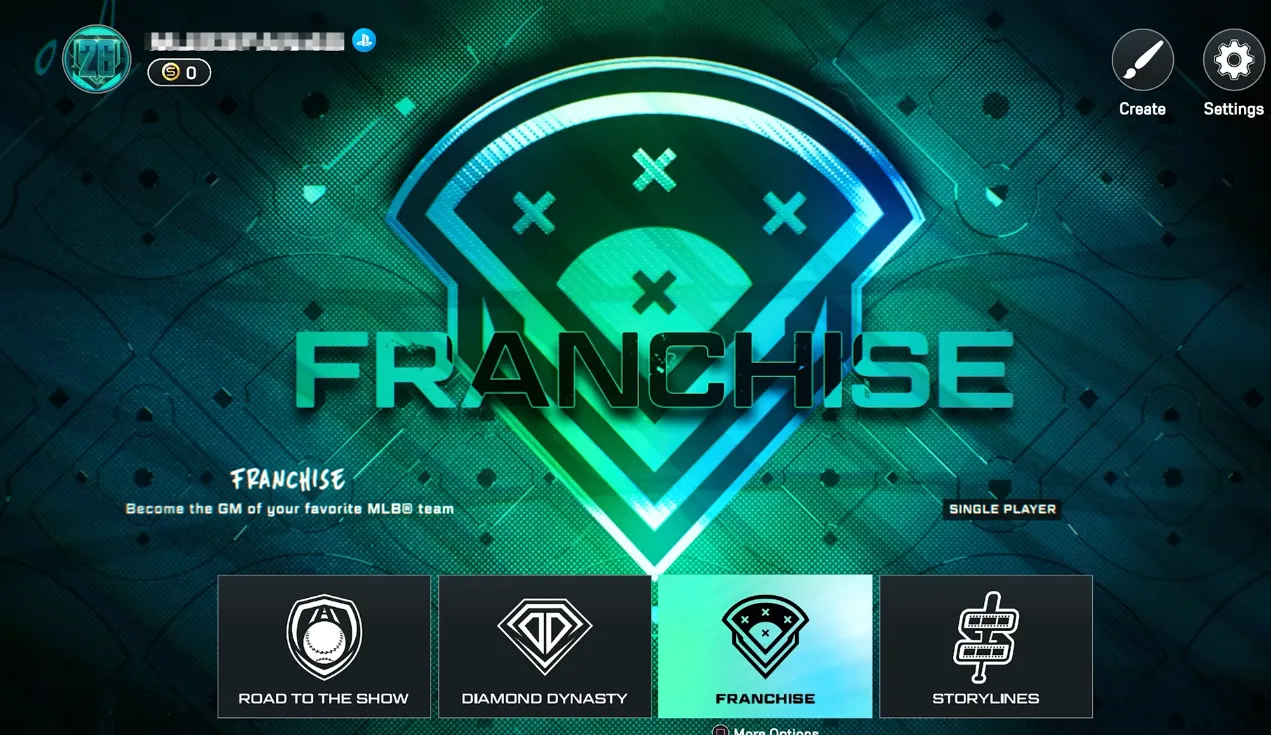
MLB The Show 26 Franchise Mode

3. Local Couch Co-Op

The game does support offline co-op on the same console:

  • Setup: Plug in a second controller during the team selection or “Play Next Game” screen.
  • Play Together: Each player can take control of a team in the same franchise.
  • Limitations: Only works for games played on the same console; all trades, roster changes, and league management are still handled by a single account.

For example, players have reported enjoying two-player seasons where one controls the Yankees and the other the Dodgers, alternating series in a single franchise to see how rivalries develop.

While the deep management features of Franchise mode are primarily a solo or local endeavor, building an unstoppable Diamond Dynasty team remains the ultimate way to compete and showcase your skills against friends online. Navigating the market for elite players requires a significant amount of currency, but you don't have to spend weeks grinding through challenges to assemble your dream roster. To get a head start on the competition and ensure your squad is packed with top-tier talent from day one, you can securely buy MLB 26 Stubs through SHANNENG, the most reliable marketplace for enhancing your gaming experience without the hassle.

4. Custom Leagues – The Online Alternative

If you want to play online with friends:

  • Create a League: Invite friends to join and customize game length, innings, and difficulty.
  • Quick Games: Unlike the full 162-game franchise, Custom Leagues focus on short, competitive sessions.
  • Example: A group of four friends might run a 10-game mini-season over a weekend, tracking standings and stats for fun.

Custom Leagues don't replace the full franchise experience, but they are a viable workaround for online play.

5. Diamond Dynasty Co-Op

While Franchise mode lacks online co-op, Diamond Dynasty allows friends to play together online:

  • 2v2 or 3v3 Matches: Combine your custom teams and play ranked or casual matches.
  • Shared Strategy: Coordinate pitching rotations and lineup decisions to optimize performance.
  • Example: Teams have reported winning streaks in 2v2 co-op by synchronizing bullpen usage and batting order.

This is currently the best online option to experience teamwork with friends.

6. Online Exhibition Matches

Another simple way to play with friends:

  • Navigate to Profile > Friends.
  • Select a friend and Invite to Exhibition.
  • Play a single game, perfect for a quick match or testing lineups.

Although it's not a full-season experience, exhibition matches let you experiment with different strategies against friends online.

7. How to Play Online with Friends (Non-Franchise)

To ensure smooth online matches:

  1. Link Accounts: Connect your console accounts via the official MLB The Show website for cross-platform play.
  2. Add Friends: Use the profile icon in the top-left menu to add your friends.
  3. Invite to Play: Use the Co-Op menu in Diamond Dynasty or Exhibition mode to start matches together.

This setup ensures that even without an online franchise mode, you can enjoy competitive and cooperative games with friends.

8. Summary

While MLB The Show 26 does not offer a full online Franchise co-op, there are multiple ways to enjoy the game with friends:

  • Local co-op for a shared offline franchise.
  • Custom Leagues for online mini-seasons.
  • Diamond Dynasty for online co-op matches.
  • Exhibition matches for quick play.

Players looking to experience a shared baseball season will need to be creative, but the game's deep single-player franchise and robust multiplayer modes make it easy to have fun, compete, and build stats with friends in other ways.

相关文章
流亡黯道2(國際版)
侠盗猎车手5
暗黑破壞神 4
流亡黯道(國際版)
地產大亨 GO!
火炬之光:無限
辐射76
沙丘觉醒
棒球 25
College Football 27
使命召唤:黑色行动7
侠盗猎车手6
罗布乐思
Madden NFL 27
种植花园
FC 27
NBA 2K27
无烬战争
偷走脑红
森林中的99夜
绝地潜兵2
宝可梦传说 ZA
永恆之塔2
ARC Raiders
创世灰烬
恐惧之谜
极限竞速:地平线6
天堂:經典版
Dark and Darker
失落星船:马拉松
VAMPIR:血之繼承者
暗黑破壞神 2: 獄火重生
英雄围城(Hero Siege)
晶陨(Crystalfall)
天堂W - 东南亚服
帝国神话:王权