购物车

购物车空

继续购物
总计 ¥0.00
结算
首页 / 博客
Forza Horizon 6 FH203 Error Code
Zubo
May 20, 2026
140

If you've recently tried to launch Forza Horizon 6), and received the FH203 error code, it generally means your system's graphics card isn't supporting the DirectX 12 features the game needs.

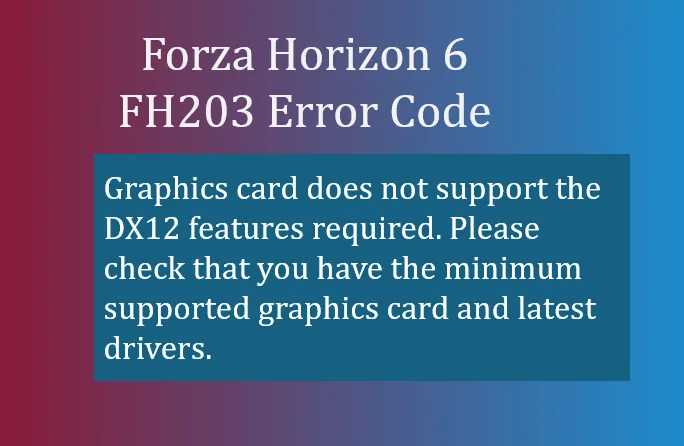
  • Graphics card does not support the DX12 features required. Please check that you have the minimum supported graphics card and latest drivers.

What FH203 Means

FH203 is essentially a compatibility block. Forza Horizon 6 relies on modern DirectX 12 features, including advanced feature levels like 12_1, which allow for ray tracing, dynamic lighting, and other next-gen graphical effects. If your GPU can't handle these, the game refuses to launch, throwing FH203.

This happens most often on:
  • Older or mid-tier GPUs that only support DX12 partially or DX11 fully.
  • Laptops defaulting to integrated graphics instead of a dedicated GPU.
  • Outdated GPU drivers that misreport capabilities to the game.
Forza Horizon 6 FH203 Error Code

How to Fix FH203

Here are the steps to resolve the issue:

1. Update Your GPU Drivers

Even if your card supports DX12, outdated drivers can cause FH203. Make sure you have the latest drivers:

A driver update often restores the reported DX12 features.

2. Check DirectX Feature Levels

Verify your GPU supports the required feature level:

  1. Press Windows Key + R.
  2. Type dxdiag and press Enter.
  3. Go to the Display tab.
  4. Look under Feature Levels. For FH6, you need 12_1 ideally, or at minimum 12_0. Anything lower (like 11_1) won't run the game.

3. Perform a Clean Driver Reinstallation

Sometimes remnants of old drivers cause misreporting:

  1. Download Display Driver Uninstaller (DDU).
  2. Boot into Safe Mode and run DDU to remove existing GPU drivers completely.
  3. Reinstall the latest GPU driver from the manufacturer.

4. Force the Game to Use Your Dedicated GPU

For laptops with integrated graphics:

  • Go to Windows Settings → System → Display → Graphics Settings.
  • Add ForzaHorizon6.exe and set it to High Performance.
  • Make sure the dedicated GPU is selected.

Failing to do this may let the game run on “potato” integrated graphics, which will trigger FH203.

5. Verify Hardware Compatibility

If your GPU is older than roughly NVIDIA GTX 970 / AMD RX 470 / Intel Iris Xe, it may simply not be capable of supporting DX12 features required for FH6. In this case, a hardware upgrade is necessary.

Buy Forza Horizon 6(FH6) Credits

Summary

FH203 is your PC telling you: “I'm not ready for Forza Horizon 6.” Most of the time, the fix is driver-related or switching to your dedicated GPU. If your card is simply too old, there's no software fix, and upgrading your graphics card will be the only solution.

Getting this right means you can enjoy Forza Horizon 6's dense Japanese map, vibrant city racing, and high-fidelity Alpine and coastal tracks without crashes or errors.

相关文章
流亡黯道2(國際版)
侠盗猎车手5
暗黑破壞神 4
流亡黯道(國際版)
地產大亨 GO!
火炬之光:無限
辐射76
沙丘觉醒
棒球 25
College Football 27
使命召唤:黑色行动7
侠盗猎车手6
罗布乐思
Madden NFL 27
种植花园
FC 27
NBA 2K27
无烬战争
偷走脑红
森林中的99夜
绝地潜兵2
宝可梦传说 ZA
永恆之塔2
ARC Raiders
创世灰烬
美國職棒大聯盟 26
恐惧之谜
天堂:經典版
Dark and Darker
失落星船:马拉松
VAMPIR:血之繼承者
暗黑破壞神 2: 獄火重生
英雄围城(Hero Siege)
晶陨(Crystalfall)
天堂W - 东南亚服
帝国神话:王权