购物车

购物车空

继续购物
总计 ¥0.00
结算
首页 / 博客
Forza Horizon 6 FH401 Error Code: Insufficient System Memory
Zubo
May 20, 2026
614

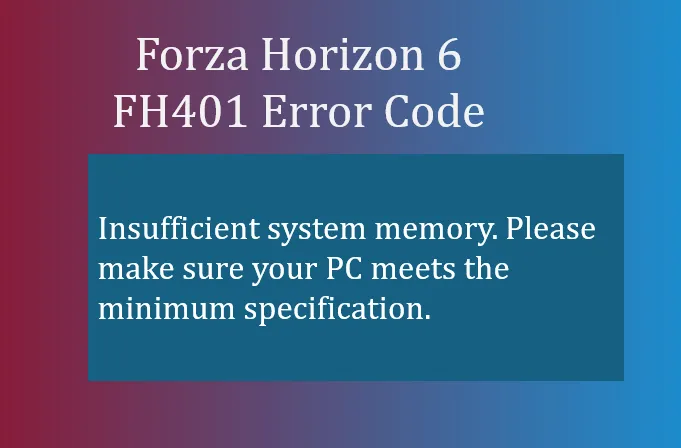
If you've been trying to launch Forza Horizon 6 and were greeted with the FH401 error code, you're not alone. This error usually pops up on PC when the game detects that your system doesn't have enough memory to run smoothly. Unlike graphics-related crashes, FH401 is all about your RAM and virtual memory.

  • Insufficient system memory. Please make sure your PC meets the minimum specification.

In simple terms, FH401 means your system memory is insufficient. The game may crash during startup or display a warning message if your PC doesn't meet the minimum RAM requirements specified by Playground Games. Even if your system meets the bare minimum, running heavy background applications alongside FH6 can still trigger this error.

Why FH401 Happens

Several common scenarios lead to FH401:
  • Your PC has less than the required physical RAM for Forza Horizon 6.
  • Background applications are consuming too much memory, leaving little free RAM for the game.
  • Windows is restricting memory usage via MSConfig settings or improperly configured virtual memory.
  • RAM modules aren't seated correctly or aren't running in dual-channel mode, which can limit memory allocation efficiency.
Forza Horizon 6 FH401 Error Code

How to Fix FH401

Here are practical steps that have helped players get past the FH401 error:

1. Check Background Memory Usage

Before launching FH6, close memory-heavy applications like:

  • Google Chrome with multiple tabs
  • Discord or Teams overlays
  • OBS Studio or any streaming software

This can free up several GBs of RAM for the game.

2. Verify Your System RAM

Make sure your PC meets the minimum system requirements:

  • Check your total installed RAM in Settings → About.
  • FH6 generally requires at least 16GB RAM for stable performance; 8GB may trigger FH401.

3. Disable MSConfig Memory Caps

Sometimes Windows is limiting memory usage:

  1. Press Win + R and type msconfig.
  2. Go to Boot → Advanced Options.
  3. Ensure Maximum memory is unchecked.
  4. Restart your PC.

4. Increase Virtual Memory

Windows can use a portion of your storage as “virtual RAM”:

  1. Search View advanced system settings.
  2. Under Performance → Advanced → Virtual Memory, click Change.
  3. Uncheck Automatically manage paging file size.
  4. Set:
    • Initial size: 1.5× your total RAM (MB)
    • Maximum size: 3× your total RAM (MB)
  5. Apply and restart.

5. Check Physical RAM Installation

  • Ensure your memory sticks are properly seated.
  • Dual-channel configurations improve performance; avoid single-channel setups for heavy games like FH6.
  • Run Windows Memory Diagnostic to check for faulty modules.

6. Optional: Upgrade Your RAM

If you continue to hit FH401 despite all tweaks, consider upgrading your RAM. Many FH6 players report that 16GB+ ensures smooth gameplay, especially on dense open-world maps like Japan.

By following these steps, most FH401 errors can be resolved without reinstalling the game. Closing unnecessary applications, adjusting virtual memory, and verifying hardware setup usually clears the problem.

Buy Forza Horizon 6(FH6) Credits

For players looking to save time or enhance their experience, services like SHANNENG provide quick options to purchase Forza Horizon 6 credits, which can help unlock cars and upgrades even while troubleshooting your system memory issues.

相关文章
流亡黯道2(國際版)
侠盗猎车手5
暗黑破壞神 4
流亡黯道(國際版)
地產大亨 GO!
火炬之光:無限
辐射76
沙丘觉醒
棒球 25
College Football 27
使命召唤:黑色行动7
侠盗猎车手6
罗布乐思
Madden NFL 27
种植花园
FC 27
NBA 2K27
无烬战争
偷走脑红
森林中的99夜
绝地潜兵2
宝可梦传说 ZA
永恆之塔2
ARC Raiders
创世灰烬
美國職棒大聯盟 26
恐惧之谜
天堂:經典版
Dark and Darker
失落星船:马拉松
VAMPIR:血之繼承者
暗黑破壞神 2: 獄火重生
英雄围城(Hero Siege)
晶陨(Crystalfall)
天堂W - 东南亚服
帝国神话:王权