购物车空
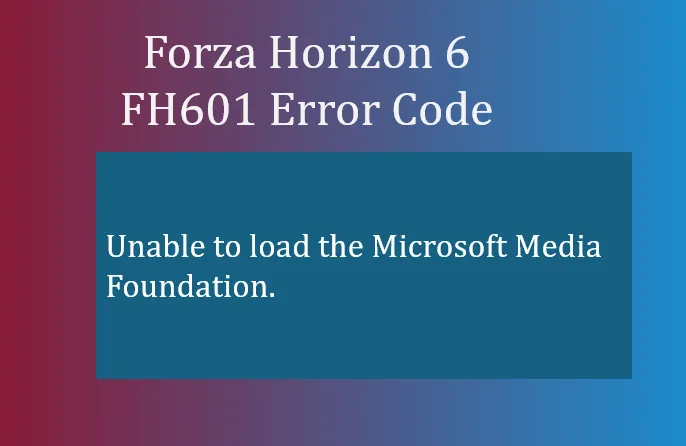
继续购物If you're diving into Forza Horizon 6 and suddenly see the FH601 error code, it can be a frustrating roadblock. This error specifically points to a problem with Microsoft Media Foundation, a core component Windows uses to handle video and audio playback. Without it, FH6 can't properly load cutscenes, background music, or other multimedia elements, preventing the game from launching correctly.
The FH601 error is essentially telling you:
“Unable to load the Microsoft Media Foundation. These components may need installing.”
This is particularly common if you're using Windows N or KN editions, which ship without certain media-related features by default. Standard Windows users can still encounter this issue if Media Foundation files are missing or corrupted.
The official Microsoft download for the Media Feature Pack is available here: Download Media Feature Pack
Here's a step-by-step approach to resolving the error:
This restores the missing Media Foundation components that FH6 relies on.
Even if you're on a standard version of Windows, outdated system files can trigger FH601.
Keeping Windows updated ensures the required multimedia frameworks are correctly installed.
If Media Foundation is installed but corrupted, a system file check can repair the problem:
This verifies and repairs missing or corrupted system files, which often fixes FH601.
If the above steps don't work, a clean reinstall of Forza Horizon 6 can help, especially if some game files were corrupted during installation.

Once the Media Feature Pack is installed and your system files are verified, FH6 should launch without any FH601 errors. For users on Windows N/KN editions, this step is mandatory—without it, the game's audio and video systems simply won't function.
If you want to skip troubleshooting and ensure your game runs smoothly without manual tweaks, services like SHANNENG offer a fast solution to acquire pre-configured accounts or resources, letting you enjoy Forza Horizon 6 immediately without worrying about FH601 errors or missing media components.