购物车

购物车空

继续购物
总计 ¥0.00
结算
首页 / 博客
Forza Horizon 6 Keeps Crashing on PC: How to Fix It
Zubo
May 19, 2026
3475

If you're playing Forza Horizon 6 on PC, you might have run into crashes—whether it's failing to launch, freezing mid-race, or suddenly dropping to your desktop. Many players have faced these frustrating issues, but the good news is that most crashes are fixable with some simple tweaks. Here's a detailed, practical guide from a fellow player's perspective.

Common Causes of Crashes

Forza Horizon 6 is a massive game with cutting-edge graphics, ray tracing, and dynamic physics. Because of this, it can conflict with certain Windows graphics settings, background monitoring tools, or corrupted game files. Typical crash scenarios include:

  • Black screen at launch
  • Immediate crash to desktop
  • Freezing or crashing between festival zones
  • Error popups like FHC01, FHD, or FHE01

Most of these issues stem from either software conflicts or hardware settings that need adjustment.

Step 1: Disable Conflicting Windows Settings

One of the main culprits is Hardware-Accelerated GPU Scheduling (HAGS) in Windows. While designed to improve performance, it can trigger crashes and black screens in Forza Horizon 6.

  1. Open Start Menu → Graphics Settings.
  2. Toggle Hardware-Accelerated GPU Scheduling off.
  3. Restart your PC.

Keep in mind that this will disable frame generation, but it resolves most launch and black-screen issues.

Step 2: Close Background Monitoring Tools

Programs like MSI Afterburner and RivaTuner (RTSS) are notorious for conflicting with FH6. Fully exit these apps from the system tray before launching the game. Also, turn off any overlays such as:

  • Steam Overlay
  • Discord Overlay
  • GeForce Experience Overlay

This can prevent mid-game crashes caused by real-time graphics hooks.

Step 3: Lower Graphics Settings

If you can get into the game menu but crashes occur while driving between zones:

  • Turn off Environment Ray-Traced GI
  • Switch lighting to Screen Space Reflections (SSR)
  • Reduce texture resolution and shadows if needed

This reduces GPU strain and prevents memory-related crashes.

Step 4: BIOS & CPU Settings

Some error codes, like 0x12c, relate to CPU encryption features. To fix:

  1. Restart your PC and enter the BIOS.
  2. Locate CPU settings and ensure AES-NI (Advanced Encryption Standard New Instructions) is enabled.

This can resolve cryptic startup crashes and boost overall stability.

Step 5: Diagnose Specific Error Codes

FH6 can display specific codes when it crashes. Here's how to address them:

  • FHC01 / FHC (Video Card Crash): Update GPU drivers via Nvidia or AMD. Use DDU in Safe Mode to remove old driver data if crashes persist.
  • FHD (Out of Video Memory): Reduce resolution and texture settings. Nvidia users can adjust PS_CONST_FOLDING_GPU to OFF via Profile Inspector to prevent VRAM leaks.
  • FHE01 / FHE (Game File Crash): Verify game files.
    • Steam: Right-click game → Properties → Installed Files → Verify integrity of game files
    • Xbox App/Game Pass: Manage → Files → Repair and Verify

Step 6: Clear Windows Background Conflicts

Some crashes relate to account authentication or insufficient permissions:

  • Run as Administrator: Right-click the game .exe or shortcut → Run as administrator
  • Clear Xbox Live Credentials: Open Credential Manager → Windows Credentials, remove entries starting with Xbl or XboxLive, then log in again

This ensures a clean handshake between your PC and FH6 servers.

Step 7: Extra Tips

  • Keep Windows and GPU drivers fully updated
  • Avoid running multiple performance-monitoring apps simultaneously
  • Restart PC between sessions for clean GPU/CPU memory
  • For persistent black screens, temporarily disable ray tracing and motion blur

Many players report that these combined steps prevent the majority of crashes and allow smooth gameplay even on high-end systems.
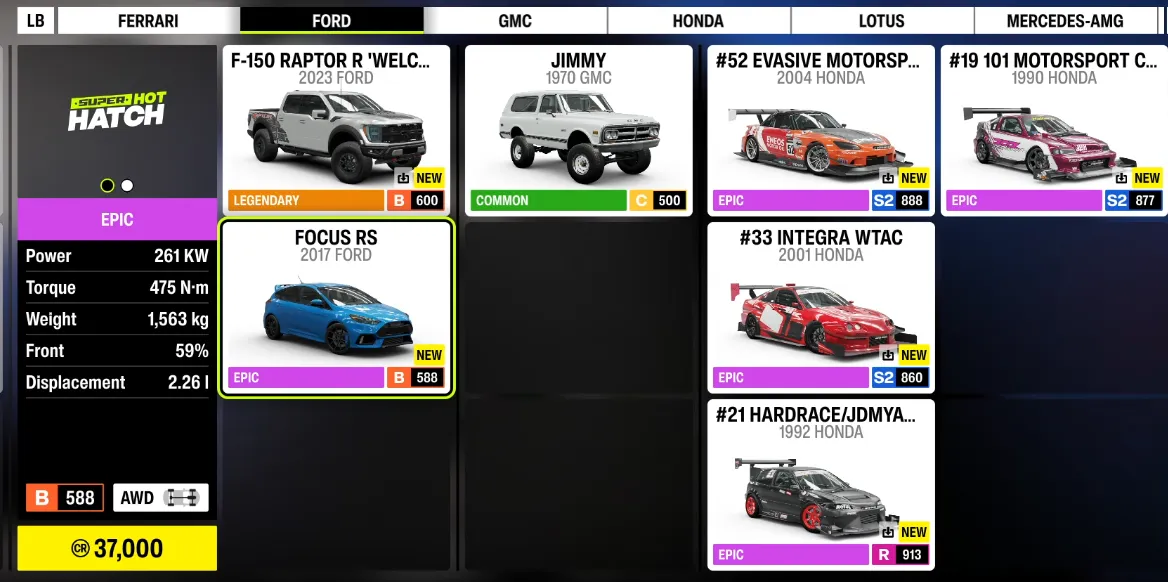
Forza Horizon 6 Cars

If you want to avoid interruptions and keep your Forza Horizon 6 experience smooth, you can also save time by getting the resources you need directly—SHANNENG is a trusted platform where you can safely buy FH6 credits PC online, letting you upgrade cars, unlock events, and boost progression without grinding, so you can focus on racing and enjoying the game.

相关文章
流亡黯道2(國際版)
侠盗猎车手5
暗黑破壞神 4
流亡黯道(國際版)
地產大亨 GO!
火炬之光:無限
辐射76
沙丘觉醒
棒球 25
College Football 27
使命召唤:黑色行动7
侠盗猎车手6
罗布乐思
Madden NFL 27
种植花园
FC 27
NBA 2K27
无烬战争
偷走脑红
森林中的99夜
绝地潜兵2
宝可梦传说 ZA
永恆之塔2
ARC Raiders
创世灰烬
美國職棒大聯盟 26
恐惧之谜
天堂:經典版
Dark and Darker
失落星船:马拉松
VAMPIR:血之繼承者
暗黑破壞神 2: 獄火重生
英雄围城(Hero Siege)
晶陨(Crystalfall)
天堂W - 东南亚服
帝国神话:王权