If you're trying to launch Forza Horizon 6), you might encounter the FH101 error code. This message indicates that your PC does not meet the minimum CPU requirements necessary to run the game.
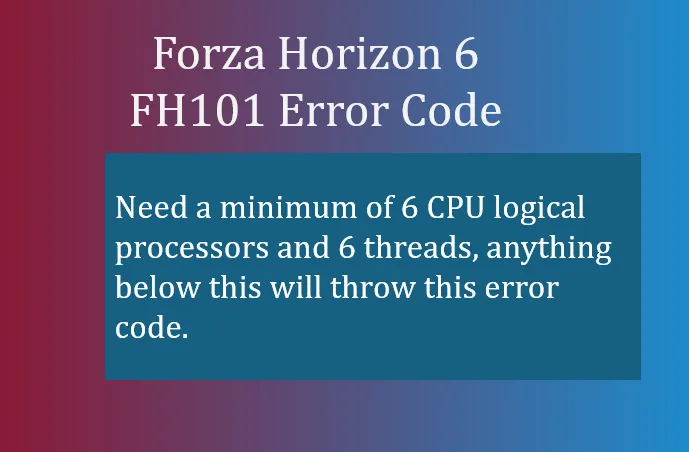
- Need a minimum of 6 CPU logical processors and 6 threads, anything below this will throw this error code.
What FH101 Means
The FH101 error is triggered when your processor has fewer than 6 logical processors and 6 threads. Essentially, Forza Horizon 6 checks your CPU capabilities at startup and will block the game from running on hardware that cannot safely handle the game's demands. This prevents instability, severe lag, or crashes.
Common Causes
- Insufficient Core Count: Your CPU physically lacks the required cores or multi-threading support. Many older processors fall into this category.
- Hyper-Threading / SMT Disabled: Even if your CPU has enough physical cores, Hyper-Threading (Intel) or SMT (AMD) may be turned off in your BIOS. Without it, the game sees fewer logical threads than required.
- Laptop or Low-End Systems: Some budget laptops or older desktops with dual-core or quad-core CPUs are unable to meet the minimum threshold, leading to FH101.
How to Check Your CPU
- Press Ctrl + Shift + Esc to open Task Manager.
- Go to the Performance tab and click on CPU.
- Look at the bottom-right corner for Cores and Logical Processors.
- Ensure you have 6 or more logical processors. If not, your system does not meet the game's minimum requirements.
How to Fix FH101
Here are practical steps to resolve the FH101 error:
1. Enable Hyper-Threading or SMT
- Restart your PC and enter the BIOS (commonly Del, F2, or F10 at boot).
- Locate CPU Configuration or similar settings.
- Enable Hyper-Threading (Intel) or SMT (AMD).
- Save changes and reboot.
2. Upgrade Your CPU
- If your processor only has 2–4 cores or threads, the only reliable fix is to upgrade to a CPU with at least 6 threads.
- Modern mid-range CPUs from Intel (i5 10th gen or higher) or AMD (Ryzen 5 3000 series or higher) are sufficient.
3. Consider Workarounds (Linux/Proton)
- On Linux systems using Proton/Wine, there are community workarounds that bypass CPU thread checks. These are unofficial and may not guarantee stability.
- Check platforms like the Linux Gaming Subreddit for guidance if attempting this approach.
Summary
The FH101 error is entirely CPU-related. For players experiencing this, the game is protecting itself from running on unsupported hardware. Checking your logical processor count and enabling Hyper-Threading/SMT often fixes the issue, but on older hardware, a CPU upgrade is the only permanent solution. Ensuring your system meets these requirements not only resolves FH101 but also improves overall gameplay performance and stability in Forza Horizon 6.
Pro Tip: Before attempting workarounds, make sure your BIOS and Windows are fully updated. Sometimes FH101 can appear if Windows misreads CPU threads due to outdated system software.